
How much rain fell at your place?
Put a pin on the map and Rain Gauge shows the rain at that exact spot: back in time, day by day and hour by hour, and what is on its way. No plastic gauge to empty, nothing to write down.
Everything you need to follow the rain
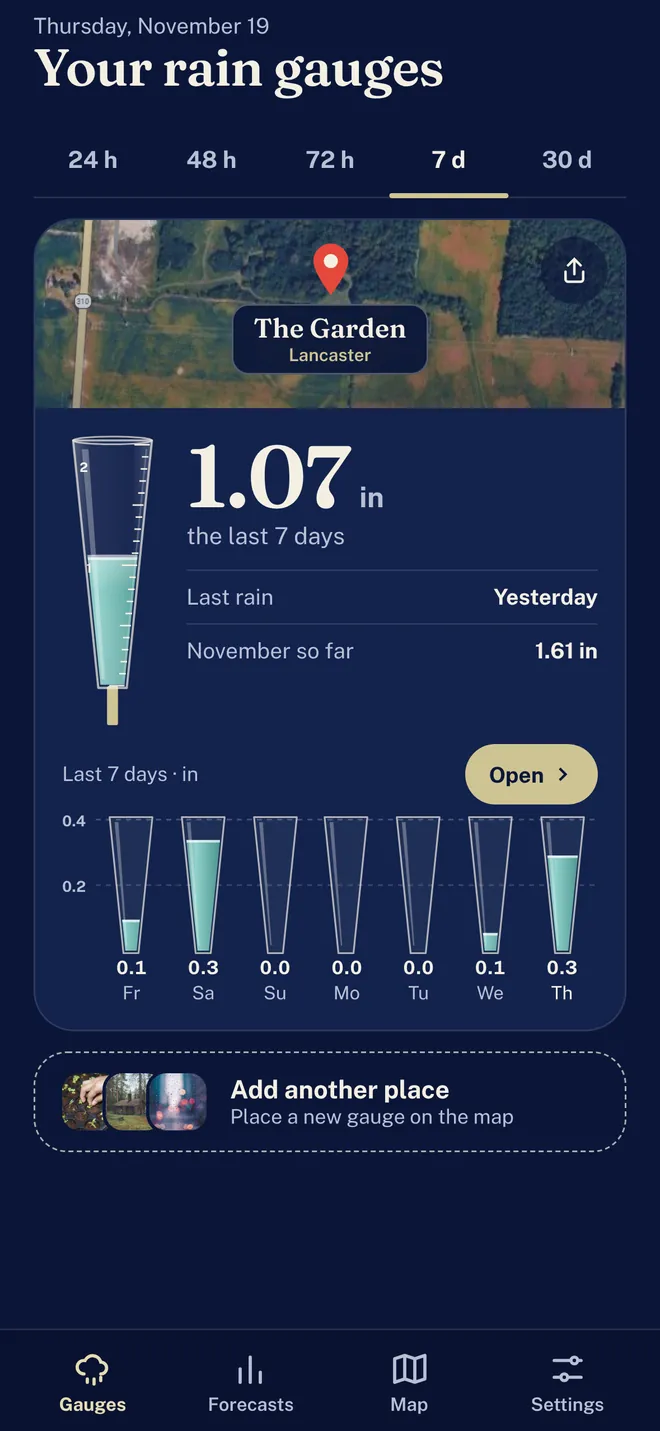
Each saved place is a virtual rain gauge. Give it a name, and the app keeps track of the rain there.
Rain back in time
The last 24 hours, 48 hours, 72 hours, 7 days, 30 days and 365 days, for each place.
Day by day, hour by hour
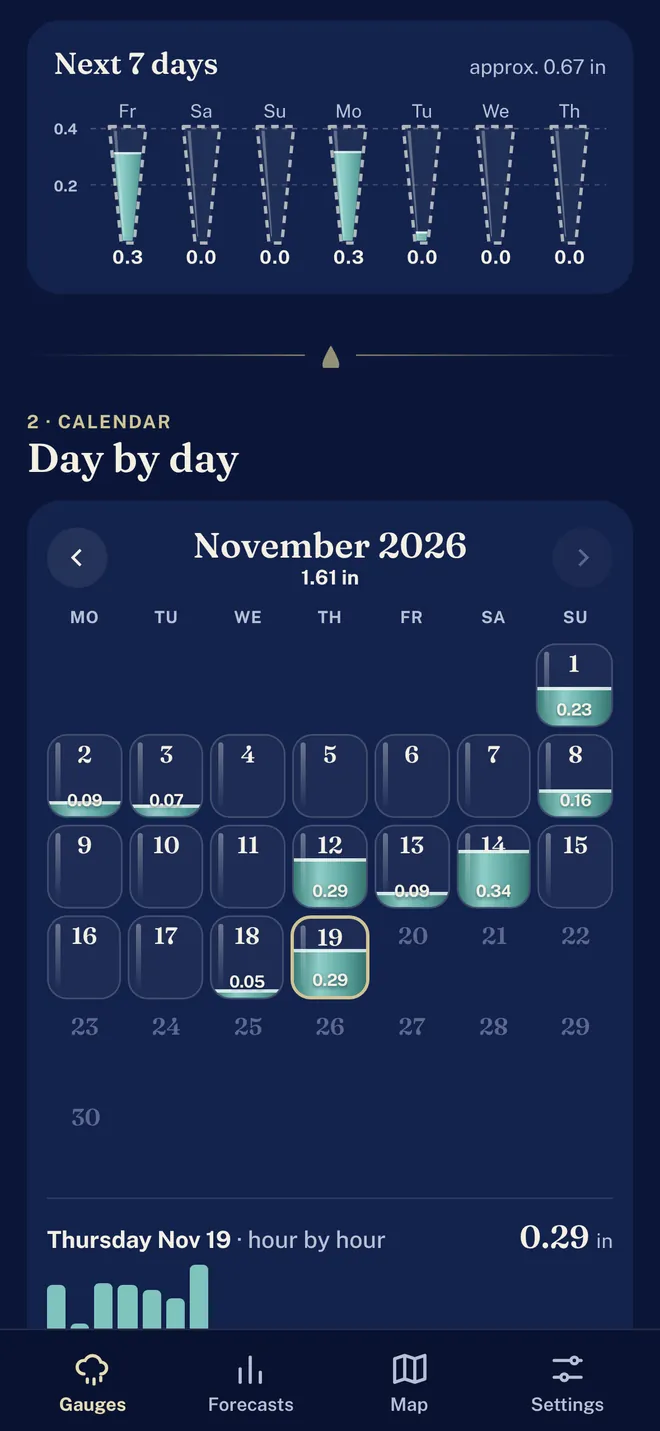
A calendar with the rain for every day. Tap a day from the last 30 days to see it hour by hour.
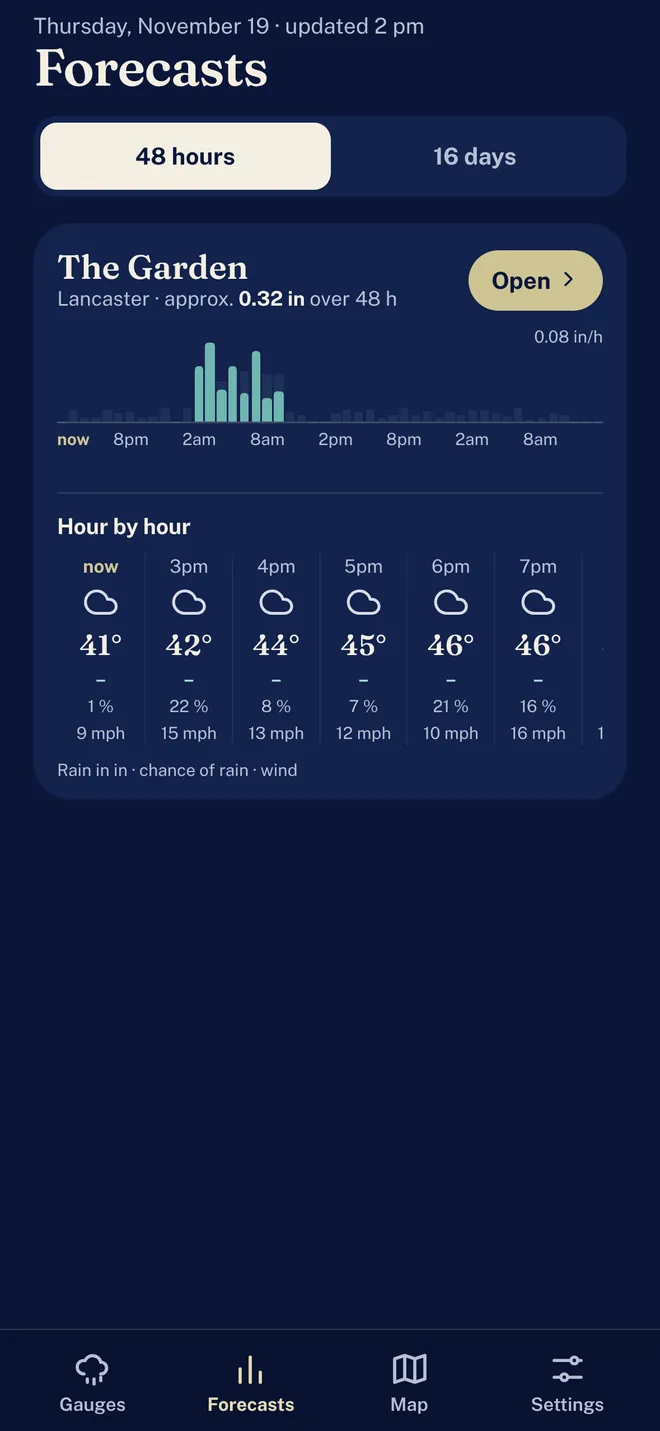
48-hour and 16-day forecast
Rain, chance of rain, temperature and wind, hour by hour for two days and day by day for 16.
Rain radar on the map
One timeline from 24 hours back to 5 hours ahead, in 10-minute steps. Press play and watch the showers move.
All your places
Home, the allotment, the fields, the cottage. Rain can be very different a few kilometres apart.
Five years of history
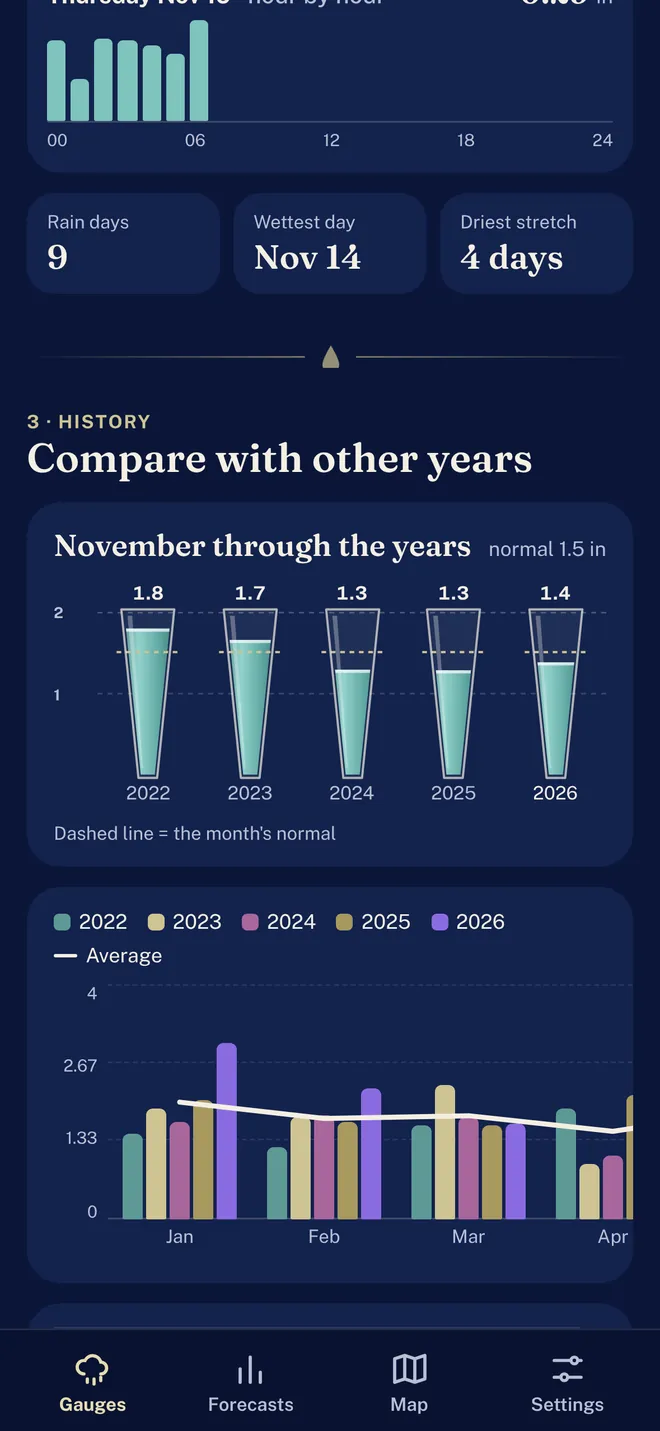
Month by month and year by year, with the normal for the month drawn in, so you can see whether this year is wetter or drier.
Share a gauge
Send a picture card with the place, the name and the rain over 24 hours, 7 days and 30 days.
Your units, your language
Millimetres or inches, 12- or 24-hour clock, and 15 languages. The app follows your phone until you choose otherwise.
See exactly when it rained
The calendar shows the rain for every day of the month. Tap a day to see the hours it fell. Rain days, the wettest day and the longest dry stretch are counted for you.
Know what is coming
A forecast for each of your places. Rain, chance of rain, temperature and wind, hour by hour for two days and day by day for 16.
Compare with other years
Five years side by side: the same month through the years, month by month and year by year, against the normal for your place.
How it works
Put a pin where you want to measure
Use your location, search for an address or tap the map. You can move the pin later.
See the rain that has fallen
The app looks up the rain for that point, from the last 24 hours up to a year back.
Follow it from now on
Open the app when you want to know whether to water, sow, pour concrete or drive to the cottage.
The figures are estimates for the point you choose, calculated from weather data from OpenWeather and Visual Crossing. They can differ from what a physical gauge on the spot would collect.
Latest articles
Can you paint in the rain? Exterior paint, stain and timing
Whether you can paint outside in the rain, how long paint needs before rain, and how long to wait after rain to paint or stain a deck.
Read the article →Fertilize before or after rain? When to feed the lawn
Whether to fertilize before or after rain, how much rain helps and how much washes fertilizer away, and how granular and liquid feeds differ.
Read the article →Rainwater harvesting calculator: what can a roof collect?
How to calculate how much rainwater your roof can collect, with the formula, worked examples, losses to allow for and how to size a rain barrel or tank.
Read the article →Rain gauge accuracy: why gauges disagree, how to place one
How accurate rain gauges are, why two gauges a few yards apart can disagree, how to place and check yours, and how estimates for a point compare.
Read the article →How often to water a vegetable garden, and when rain counts
How often to water a vegetable garden, how much each crop needs, the best time of day, and how to count the week's rain so you water only what's missing.
Read the article →Can you pour concrete in the rain? What to do and avoid
Whether you can pour concrete in the rain, what rain does to fresh concrete, how long to wait after rain, and how to protect a pour if a shower arrives.
Read the article →
Questions and answers
Do I need a physical rain gauge?
No. You put a pin on the map, and the app looks up the rain for that point from weather data. There is nothing to set up, empty or write down. Learn more →
How accurate are the figures?
They are estimates for the exact point you choose, calculated from weather data from OpenWeather (the last 30 days, the forecasts and the radar) and Visual Crossing (anything older). They can differ from a physical gauge on the spot, especially in local showers. Use them for planning, not for official records. Learn more →
Which phones does it work on?
iPhone and iPad with iOS or iPadOS 15.1 or later, and Android phones through Google Play.
Can I use it anywhere?
You can put a gauge anywhere on the map. The figures are always estimates for that point, so they are only as good as the weather data for the area. Learn more →
What happens to my data?
There is no account and no login. Your gauges are stored on your phone. To show the rain, their coordinates are sent to the weather and map services. The app collects usage statistics without an advertising ID. The privacy policy has the details.

Forget the plastic gauge
Put a pin where you want to know the rain.